(!)Due to Microsoft's end of support for Internet Explorer 11 on 15/06/2022, this site does not support the recommended environment.
- Scheduled Maintenance Notice: This site will be unavailable due to scheduled maintenance from 9:00 19/4/2026 to 7:00 (MYT) 20/4/2026. We apologize for the inconvenience.
- [Notice] Japan & China Golden Week holidays will start from 29 April to 6 May 2026. Kindly expect longer response from suppliers and possible delivery delay due to high volume of shipments after holiday. Early order placement is recommended. More details
- [Announcement] MISUMI Malaysia website new user interface. Clearer navigation, easy product search and more. Explore now! May contact us at (60) 3 7890 6399 for any inquiries.
KVM that supports external signal switching m_series_language_18996

Click this image to zoom it.
Move the mouse over the image to zoom
- Volume Discount
A KVM switch that can switch PC connection ports with contact signals
- PS/2
- USB 1.1

A KVM switch that can receive contact signals from PLCs, etc., and switch among PCs connected to each port
● Switching with contact signal such as an external switch box or relay is possible.
If the mouse and keyboard are not connected to the mutually connected device, the operation may become unstable.
When using KVM, be sure to use a device that can connect a keyboard/mouse, not only video signals.
Part Number
Configured Part Number is shown.
KVMIO-104-R
Specification Table
| Model | Type |
| KVMIO-104U-R | USB |
| KVMIO-104-R | PS/2 |
Overview of Specifications
| Model | KVMIO-104U-R | KVMIO-104-R | |
| Number of PC Connection Ports | 4 | ||
| Cascade Connection | Possible (2 Levels) | ||
| Port Switching Method | External Signal, Panel Button, Hot Key | ||
| Power Supply Input | AC Adapter (9 V / 0.6 A) | ||
| Height (when EIA 19-inch rack is installed) | 1U | ||
| LED | 1 (Power Supply), 4 (Online / Selection Port) | ||
| External signal Switching Port | Connector | Mini DIN 8-Pin Female | |
| Short Circuit Operating Time | 0.3 Seconds (Minimum) | ||
| Operating Current | 0.2 to 3.2 mA | ||
| Operating Voltage | 0 to 4.5 VDC | ||
| Console Connection connector | Keyboard | USB (A Type) Female | Mini DIN 6-Pin Female |
| Mouse | USB (A Type) Female | Mini DIN 6-Pin Female | |
| Display | HD-15 Pin Female | ||
| PC Connection Connector | Keyboard | ー | Mini DIN 6-Pin Female |
| Mouse | ー | Mini DIN 6-Pin Female | |
| Display | HD-15 Pin Female × 5 (One is for cascade) | HD-15 Pin Male × 4, HD-15 Pin Female × 1 | |
| Connection PC Interface | USB | PS/2 | |
| Resolution | 1,920 × 1,440 (Maximum), VESA DDC2B | ||
| Scan Interval (Seconds) | 3, 8, 15, 30 | ||
| Operating environment | Operation | Temperature: 0 to 40°C, Humidity: 10 to 90% RH (No condensation) | |
| Storage | Temperature: −20 to 60°C, Humidity: 10 to 90% RH (No condensation) | ||
| Material | Steel | ||
| Weight / External dimensions (mm) | 1.05 kg, 220(W)×130(D)×44(H) | ||
(Extension between KVM Switch - PC, KVM Switch - Extension between Consoles)
The default resolution of KVMIO-104U-R is "1,024 x 768".
Therefore, to display with resolution other than the above,
set the resolution on KVM to the following (1) to (10) resolutions to display the correspondence.
(1) 1,920 x 1,080
(2) 1,920 x 1,200
(3) 1,024 x 768
(4) 1,280 x 1,024
(5) 1,600 x 1,200
(6) 1,920 x 1,440
(7) 1,360 x 768
(8) 1,440 x 900
(9) 1,400 x 1,050
(10) 1,680 x 1,050
The setting method is as follows.
***
Pressing the left Ctrl x 3 times will open the KVM menu.
↓
Open the menu with the F4 key and select the Max resolution at the bottom
Since the default setting is 1,024 x 768
select resolution of (1) to (10).
↓
Restart the PC once after selection.
↓
After restarting, the resolution remains the same, but you can select resolution of (1) to (10) in the monitor setting on the PC
.
***
However, since it does not correspond to resolution other than (1) to (10) above,
use the resolution of the connected device and monitor as stated above.
■ External Signal Switching Port Connection Cable (9 m)
| Model | Overall Length |
| CBLKV-IO-9M | 9m |
■ PS/2 Conversion Adapter for Extension between KVM Switch and Console
| Model |
| KVADP-CVI-M6F6F2-R |
| Model | Compatible KVM | Overall Length |
| CBLKV-CBD180UH-R | KVMIO-104U-R | 1.8 m |
| CBLKV-CBD300UH-R | 3 m | |
| CBLKV-CBD500UH-R | 5 m | |
| CBLKV-CBM180T-R | KVMIO-104-R | 1.8 m |
| CBLKV-CBM300T-R | 3 m | |
| CBLKV-CBM600T-R | 6 m | |
| CBLKV-CBM102T-R | 10 m |
| Part Number |
|---|
| KVMIO-104-R |
| Part Number | Standard Unit Price | Minimum order quantity | Volume Discount | Days to Ship | m_series_spec_item_renamed_language_330595 (Port) | m_series_spec_item_renamed_language_330596 (Port) | m_series_spec_item_renamed_language_330589 | m_series_spec_item_renamed_language_330597 | m_series_spec_item_renamed_language_330598 | m_series_spec_item_renamed_language_330599 | m_series_spec_item_renamed_language_330592 (mm) | m_series_spec_item_renamed_language_330593 (mm) | m_series_spec_item_renamed_language_330594 (mm) | m_series_spec_item_renamed_language_330559 (m m_spec_item_language_79651) | m_series_spec_item_renamed_language_330561 (m_spec_item_language_270545) |
|---|---|---|---|---|---|---|---|---|---|---|---|---|---|---|---|
MYR 1,562.68 | 1 Piece(s) | Available | 2 Day(s) or more | 4 | 1 | PS2 | VGA(HD-15pin) | PS2 | VGA(HD-15pin) | 44 | 220 | 130 | - | External switching |
Loading...
Basic Information
| m_series_spec_item_renamed_language_330587 | Distribution device | m_series_spec_item_renamed_language_330588 | Self power |
|---|
Please check the type/dimensions/specifications of the part KVMIO-104-R in the KVM that supports external signal switching m_series_language_18996 series.

Specification/Dimensions
-
m_series_spec_item_renamed_language_330595(Port)
-
m_series_spec_item_renamed_language_330596(Port)
-
m_series_spec_item_renamed_language_330589
- PS2
- PS2/USB m_brand_spec_choice_renamed_language_130488
-
m_series_spec_item_renamed_language_330597
- VGA(HD-15pin)
-
m_series_spec_item_renamed_language_330599
- VGA(HD-15pin)
-
m_series_spec_item_renamed_language_330592(mm)
-
m_series_spec_item_renamed_language_330593(mm)
-
m_series_spec_item_renamed_language_330594(mm)
-
m_series_spec_item_renamed_language_330559(m m_spec_item_language_79651)
- 1.8
-
m_series_spec_item_renamed_language_330561(m_spec_item_language_270545)
- External switching
-
m_series_spec_item_renamed_language_330598
- PS2
-
CAD
- 2D
Days to Ship
-
- All
- 2 Day(s) or Less
Specify Alterations
- The specifications and dimensions of some parts may not be fully covered. For exact details, refer to manufacturer catalogs .
Products like this...
| Part Number |
|---|
| KVMIO-104U-R |
| Part Number | Standard Unit Price | Minimum order quantity | Volume Discount | Days to Ship | m_series_spec_item_renamed_language_330595 (Port) | m_series_spec_item_renamed_language_330596 (Port) | m_series_spec_item_renamed_language_330589 | m_series_spec_item_renamed_language_330597 | m_series_spec_item_renamed_language_330598 | m_series_spec_item_renamed_language_330599 | m_series_spec_item_renamed_language_330592 (mm) | m_series_spec_item_renamed_language_330593 (mm) | m_series_spec_item_renamed_language_330594 (mm) | m_series_spec_item_renamed_language_330559 (m m_spec_item_language_79651) | m_series_spec_item_renamed_language_330561 (m_spec_item_language_270545) |
|---|---|---|---|---|---|---|---|---|---|---|---|---|---|---|---|
MYR 2,014.97 | 1 Piece(s) | Available | 2 Day(s) or more | - | - | PS2/USB m_brand_spec_choice_renamed_language_130488 | - | - | - | - | - | - | 1.8 | - |
Additional Products in this Category
- PS/2 Connection Cable Dedicated for KVM Switch
- Rack Mounting Bracket (Corresponds to KVMIO/KVMM-KNV Series)
Customers Who Viewed This Item Also Viewed
-
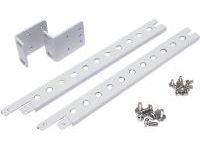 Rack Mounting Bracket (Corresponds to KVMIO/KVMM-KNV Series)
MISUMI_Test
Standard Price : MYR 226.93-
Days to Ship : 2 Day(s) or more
-
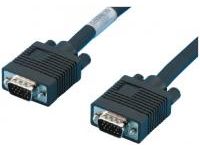
 Display Cable (High Resolution/Ultra Fine Cable)
MISUMI_Test
Standard Price : MYR 210.07
Days to Ship : 1 Day(s)
-

Tech Support
- Factory Automation, Electronics, Tools, & MRO (Maintenance, Repair and Operations)
- Tel:(60) 3 7960 8499 / FAX:(60) 3 7960 7499
- 9:00am - 6:00pm (Monday - Friday)
9:00am - 1:00pm (Saturday) - Technical Inquiry
- Credit Card
- Bank Transfer


Social Media
MISUMI Contact
Copyright © MISUMI Corporation All Rights Reserved.
How can we improve?
How can we improve?
While we are not able to respond directly to comments submitted in this form, the information will be reviewed for future improvement.
Customer Privacy Policy
Thank you for your cooperation.
While we are not able to respond directly to comments submitted in this form, the information will be reviewed for future improvement.
Please use the inquiry form.
Customer Privacy Policy