(!)Due to Microsoft's end of support for Internet Explorer 11 on 15/06/2022, this site does not support the recommended environment.
- Scheduled Maintenance Notice: This site will be unavailable due to scheduled maintenance from 9:00 19/4/2026 to 7:00 (MYT) 20/4/2026. We apologize for the inconvenience.
- [Notice] Japan & China Golden Week holidays will start from 29 April to 6 May 2026. Kindly expect longer response from suppliers and possible delivery delay due to high volume of shipments after holiday. Early order placement is recommended. More details
- [Announcement] MISUMI Malaysia website new user interface. Clearer navigation, easy product search and more. Explore now! May contact us at (60) 3 7890 6399 for any inquiries.
Half-Pitch I/O Connectors (Original Type), DX Series (Part Numbers)

I/O Connector with a 1.27-mm pitch (Hirose Electric Original Type). A selection of two types of lock methods and abundant variations for wire connection and implementation methods are available.
Japanese Only
Part Number
Configured Part Number is shown.
DX33A-50S(50)
Connector For Half-Pitch Interface

DX Series list
Specifications of DX Series Half-Pitch I/O Connectors (Original Type)
Product Standards
| Item | Standard Value | |
|---|---|---|
| Operating Temperature Range | -55 to +85°C | |
| Rated Current | 0.5 A | |
| Rated voltage | 125 V AC | |
| Contact resistance | 50 mΩ or less at 100 mA DC | |
| Insulation resistance | 250 MΩ or more at 100 V DC | |
| Withstand voltage | 300 V AC r.m.s for 1 minute | |
Product Standards
Materials/Processing
| Part Name | Materials | Color/Finish | |||
|---|---|---|---|---|---|
| Plug case | Zinc diecast | Silver coating | |||
| Receptacle case | Zinc diecast | Nickel plating | |||
| Insulator | PBT resin or equivalent or better* | Black* | |||
| Male contact | Copper alloy | Selective gold plating | |||
| Female contacts | Copper alloy | Selective gold plating |
- *UL94V-0
- *In order to prevent mixing of types for AWG#28 insulation displacement (30 A, 31 A, 32 A, 33 A) and types for soldering, a portion of the insulator has been made translucent white in order to enable identification
Compatible cables
| I/O Cable | |||||
|---|---|---|---|---|---|
| Conductor size | AWG#30 | AWG#28 | |||
| Conductor configuration | 7/0.1 | 7/0.127 | |||
| Insulator outer diameter | ø0.5 | ø0.58 | |||
| Cable UL style | UL20276 and UL2789 | ||||
I/O Cable
| Ribbon, Flat Cable | ||||
|---|---|---|---|---|
| Conductor size | AWG#28 | |||
| Conductor configuration | 19/0.08 | |||
| Cable thickness | 0.9 | |||
| Cable UL style | UL2651, UL2734, UL20012 | |||
Ribbon, Flat Cable
Product Variations

Connector for one-touch lock interface

Connector for screw lock interface

Plug-in connector
Product Termination Method
For Discrete Cables

1. Align the wiring jig case guide with the connector pins and set the protector.

2. Clamp the cable and terminate each signal wire to the protector.

3. Combine the 2 protectors and temporarily fasten to the connector main body.

4. Set the guide plate to the connecting press.

5. Set the connector to the guide plate and insert the guide plate into the connecting press.

6. Pull the handle down towards you. (This completes termination and cutting of extra cable)
For 1.27‑mm Pitch Fused Cables

1. Set the guide plate to the connecting press and set Protector C to the jig.

2. Set the 1st cable. (Fix the 1st cable using the cable clamp (1) of the guide plate)

3. Combine Protector D with Protector C.

4. Set the 2nd cable. (Fix the 2nd cable using the cable clamp (2) of the guide plate)

5. Temporarily fasten the connector main body to the protector.

6. Move the slider base to the insulation displacement position and push down the handle. (This completes termination)
| Part Number |
|---|
| DX33A-50S(50) |
| Part Number | Standard Unit Price | Minimum order quantity | Volume Discount | Days to Ship |
|---|---|---|---|---|
MYR 48.71 | 1 Piece(s) | 3 Day(s) or more |
Loading...
Basic Information
| Connector Shape | Rectangular | Connector series initials | D· E· F | D· E· F | DX |
|---|---|---|---|---|---|
| Applicable pin/contact | Female | Number Of Pins | 50 | Connector Type | Panel Mount |
| Rated Current(A) | 0.5 | Allowable Voltage(V) | AC125 | Wiring Method | Pressure Welding |
| Connection direction | Straight | Plating of part touching terminal | Gold | Product Category | Receptacle |
| Specifications | Single-Action Lock | Features | Batch pressure welding (for ribbon) | Contact Pitch(mm) | 1.27 |
| Operating Temperature Range(°C) | -55 to +85 | Terminal pitch(mm) | 2.54 |

- The specifications and dimensions of some parts may not be fully covered. For exact details, refer to manufacturer catalogs .
Additional Products in this Category
- MIL Connector PCB Angle Male Connector (Lever Model)
- Centronics Solder Spring-lock Connector (Male)
- Half-Pitch Multi-Function Two-Piece Connectors, FX2 Series
- FCN-360 Type Square Connector
- D-Sub Connector Assembly Hood with Side-Projecting Cable, XM2S
- Discrete Wire Crimp Socket- XG5 (Discrete Wire Crimp Socket)
- EPIC® H-B 16 SGR
- EPIC® H-B 16 TG-RO
Customers Who Viewed This Item Also Viewed
-
-
-
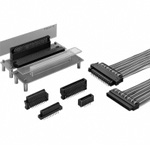 Half-Pitch Multi-Function Two-Piece Connectors, FX2 Series
HIROSE ELECTRIC
Standard Price : MYR 10.22-
Days to Ship : 2 Day(s) or more
-
IEEE1284, Half-Pitch Connector, EMI-Countermeasure Solder Male Connector
MISUMI_Test
Standard Price : MYR 44.61-
Days to Ship : 1 Day(s)
-
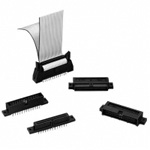 1.27‑mm Pitch Two-Piece Connectors, HIF6 Series
HIROSE ELECTRIC
Standard Price : MYR 22.34
Days to Ship : 3 Day(s) or more
-
-
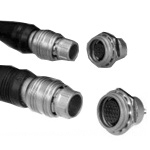 Microminiature Circular Connectors, HR25/HR25A Series
HIROSE ELECTRIC
Standard Price : MYR 99.91-
Days to Ship : 2 Day(s) or more
-
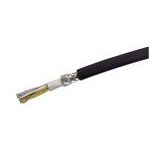 AWG28 MAST-UL20276SB: UL20276-compatible UL-Standard Shielded Wire
MISUMI_Test
Standard Price : MYR 98.74-
Days to Ship : 2 Day(s) or more
-
PCR Half Pitch Solder Female Connector
MISUMI_Test
Standard Price : MYR 46.56
Days to Ship : 1 Day(s)


Tech Support
- Factory Automation, Electronics, Tools, & MRO (Maintenance, Repair and Operations)
- Tel:(60) 3 7960 8499 / FAX:(60) 3 7960 7499
- 9:00am - 6:00pm (Monday - Friday)
9:00am - 1:00pm (Saturday) - Technical Inquiry
- Credit Card
- Bank Transfer


Social Media
MISUMI Contact
Copyright © MISUMI Corporation All Rights Reserved.
How can we improve?
How can we improve?
While we are not able to respond directly to comments submitted in this form, the information will be reviewed for future improvement.
Customer Privacy Policy
Thank you for your cooperation.
While we are not able to respond directly to comments submitted in this form, the information will be reviewed for future improvement.
Please use the inquiry form.
Customer Privacy Policy